Keep all your
Hifdh active in every prayer.
Distribute everything you have memorized evenly across a monthly plan, so your Hifdh stays fresh.
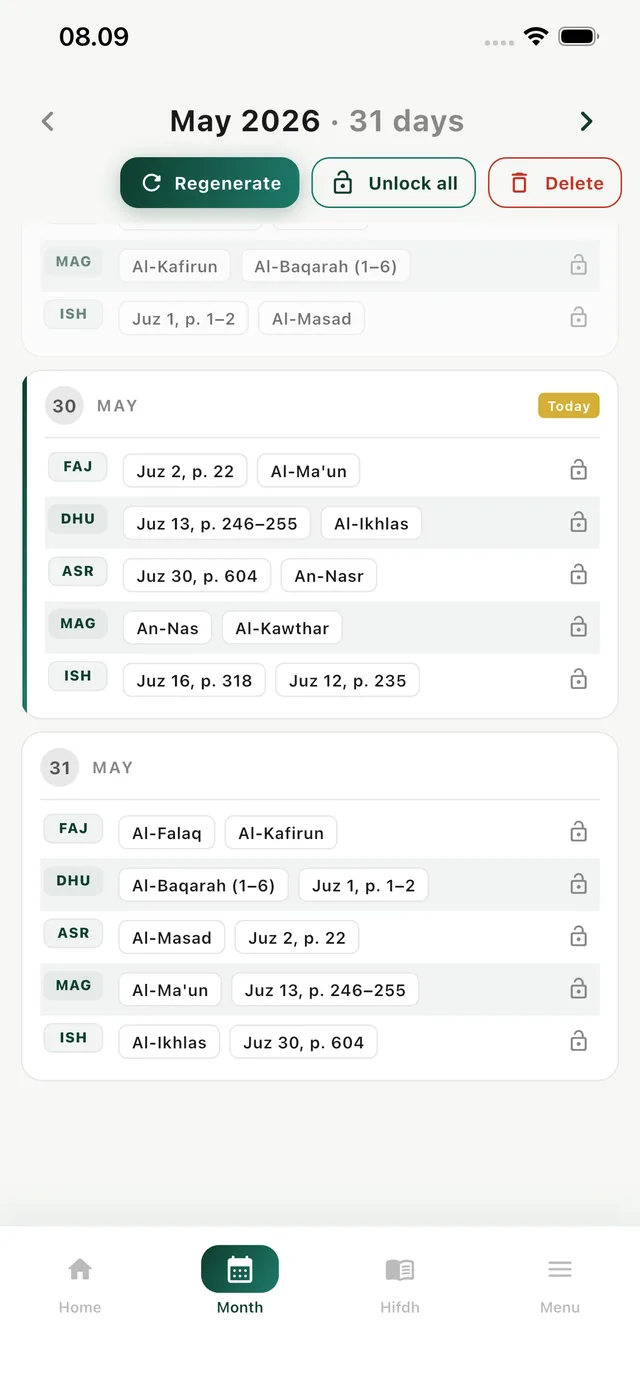
Three steps to create a monthly plan.
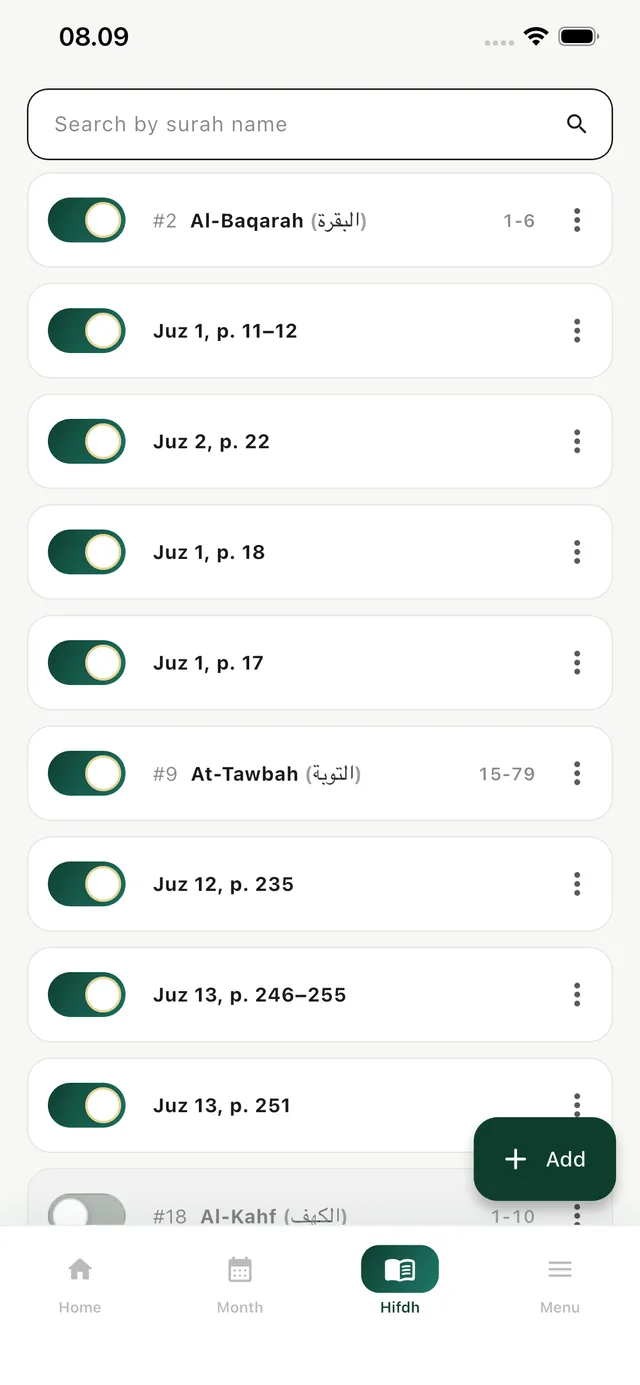
Add the surahs or verses you have memorized
Build your Hifdh list using surahs, verse ranges, Juz, or pages.
Generate a monthly plan
Ayatura distributes your content across the five daily prayers for the whole month. Regenerate or lock entries as needed.
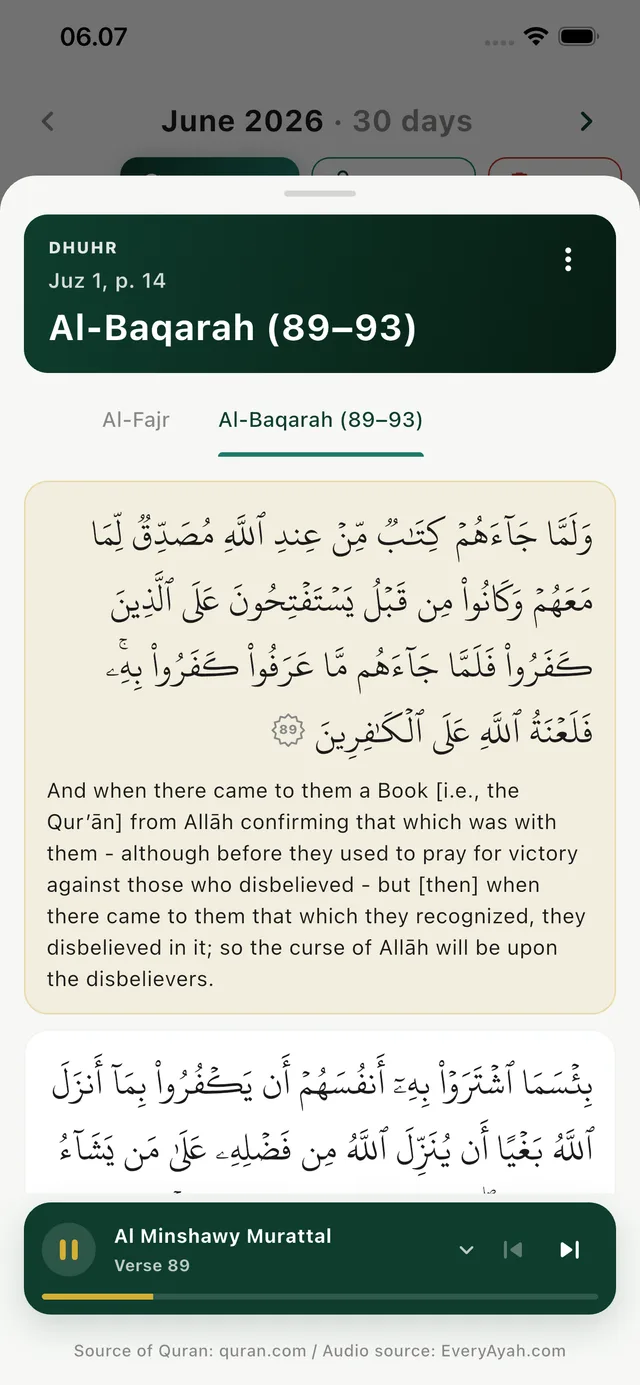
Read or listen before prayer
Open the Quran directly from your plan. Read the Arabic text with translation and optional audio.
Add memorized content the way you prefer.
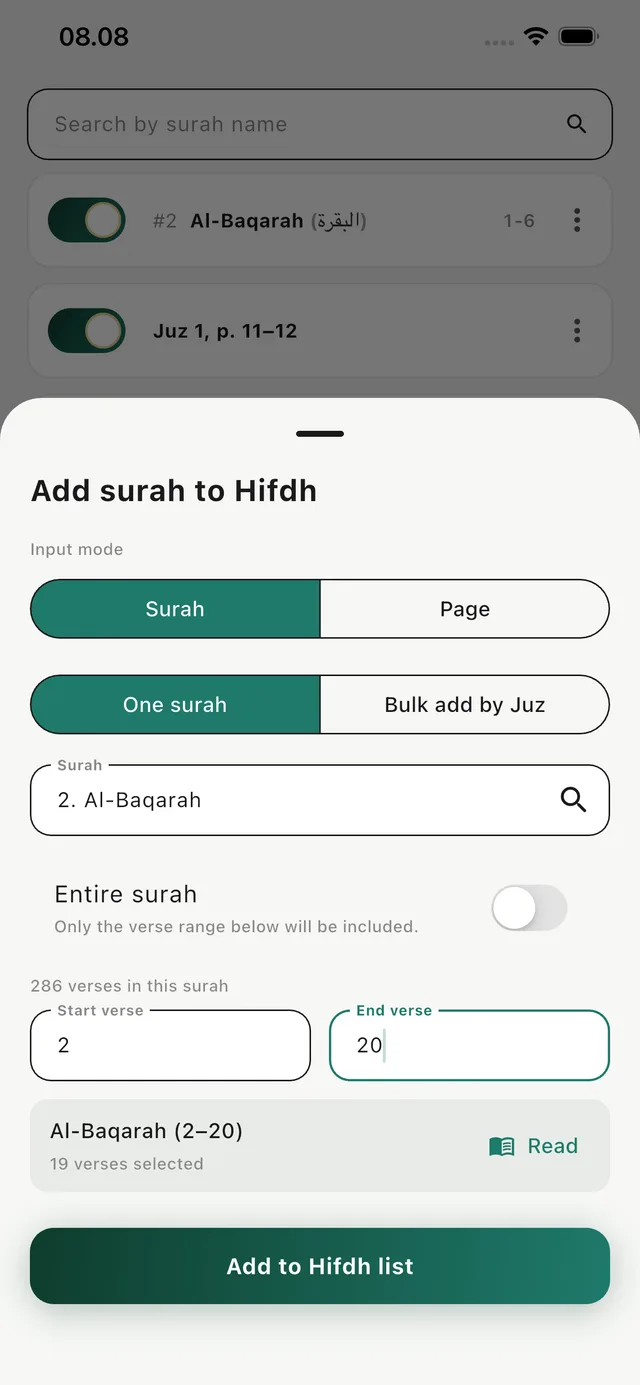
Surah or verse range
Select a full surah or enter a start and end verse. Preview the selection before saving.
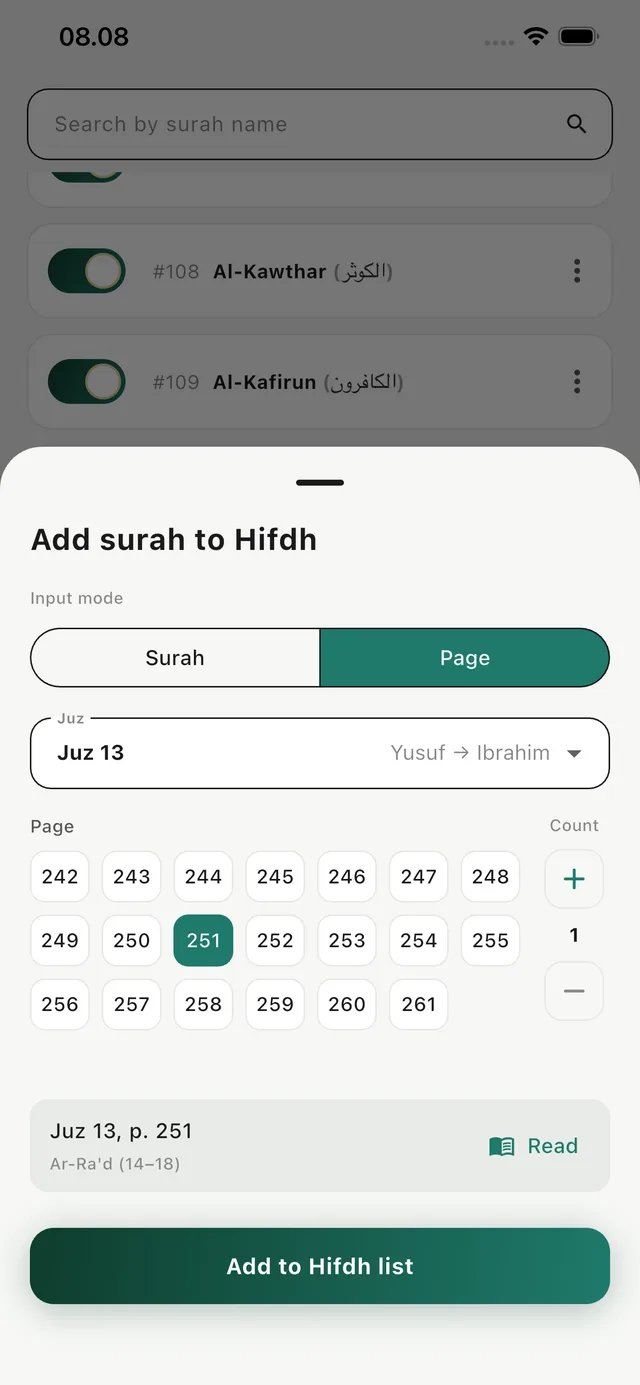
Juz and page
Add by Juz number or specific page. Useful when you memorize in page order.
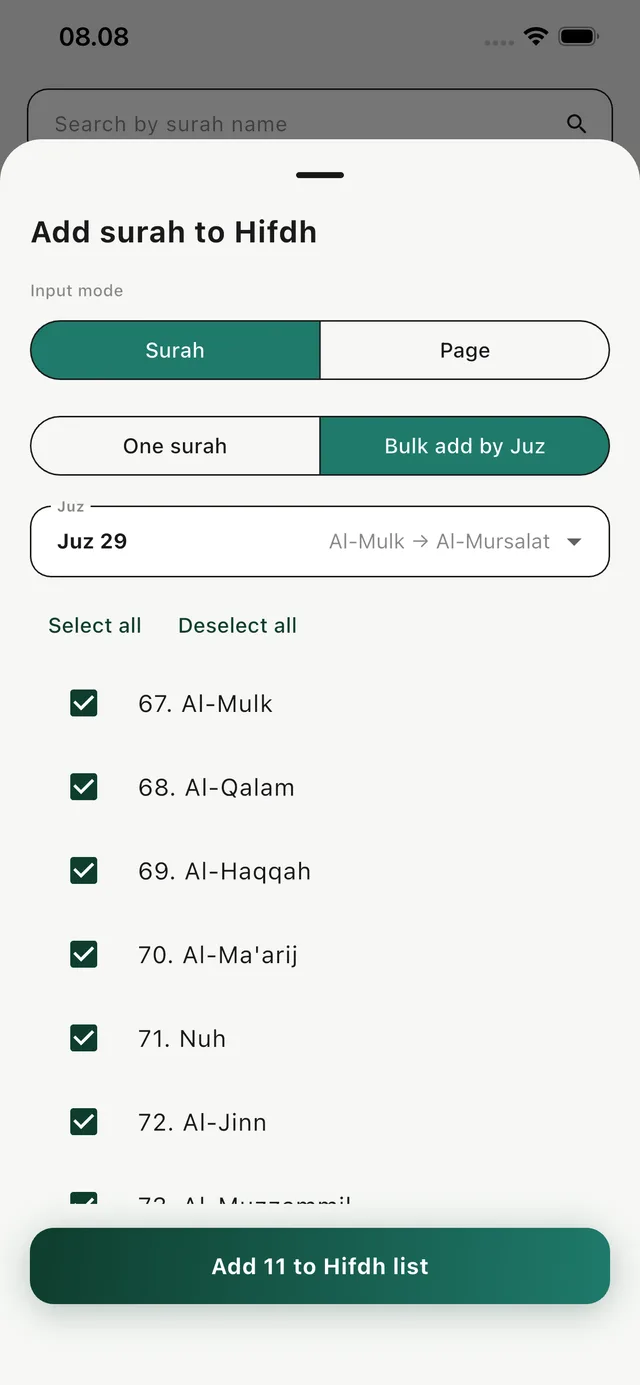
Bulk add by Juz
Add multiple surahs from a Juz with one click. Quickly expand your Hifdh list after completing a Juz.
Balanced across five prayers.
Ayatura distributes everything you have memorized across Fajr, Dhuhr, Asr, Maghrib, and Isha. View the full month and regenerate it when needed.
- Full surahs, verse ranges, and page-based entries
- Lock specific days or prayers to keep them unchanged when regenerating the plan
- Works completely offline
Read or listen directly from your plan.
Open any entry in the Quran reader. Arabic text with localized translation and optional audio.
Practice continuing from any verse.
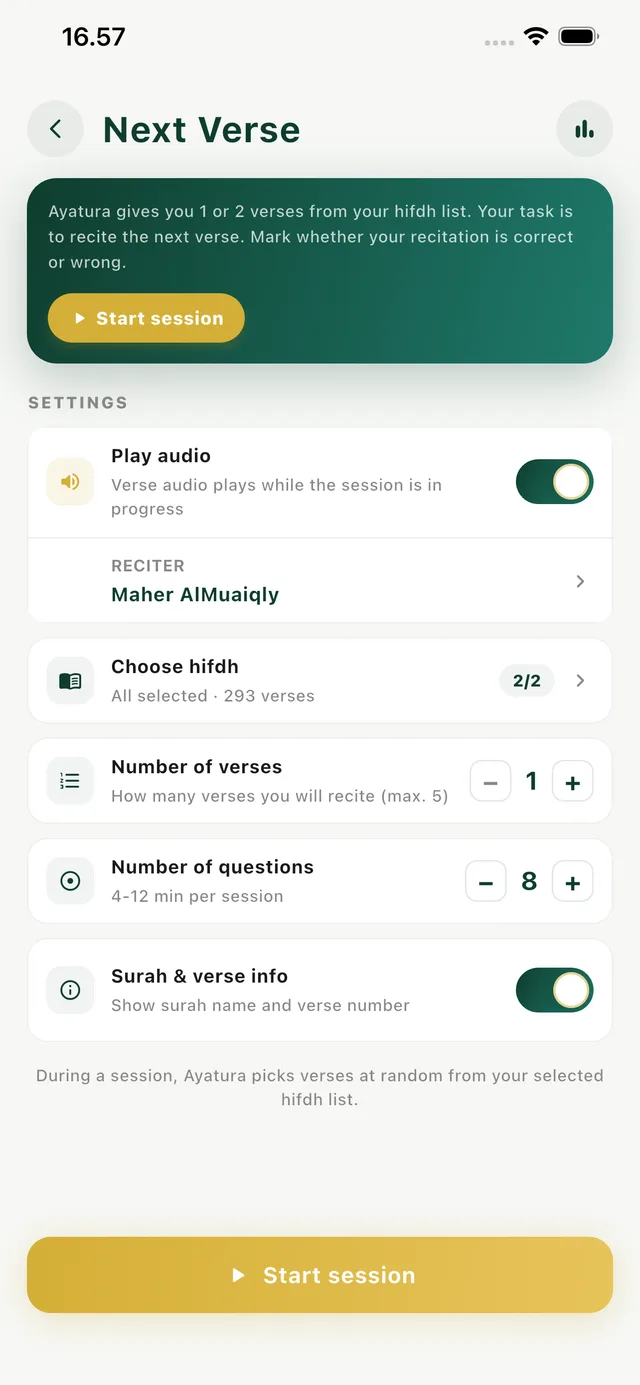
Configure the session
Choose which Hifdh entries to test, set the number of questions, and select optional audio.
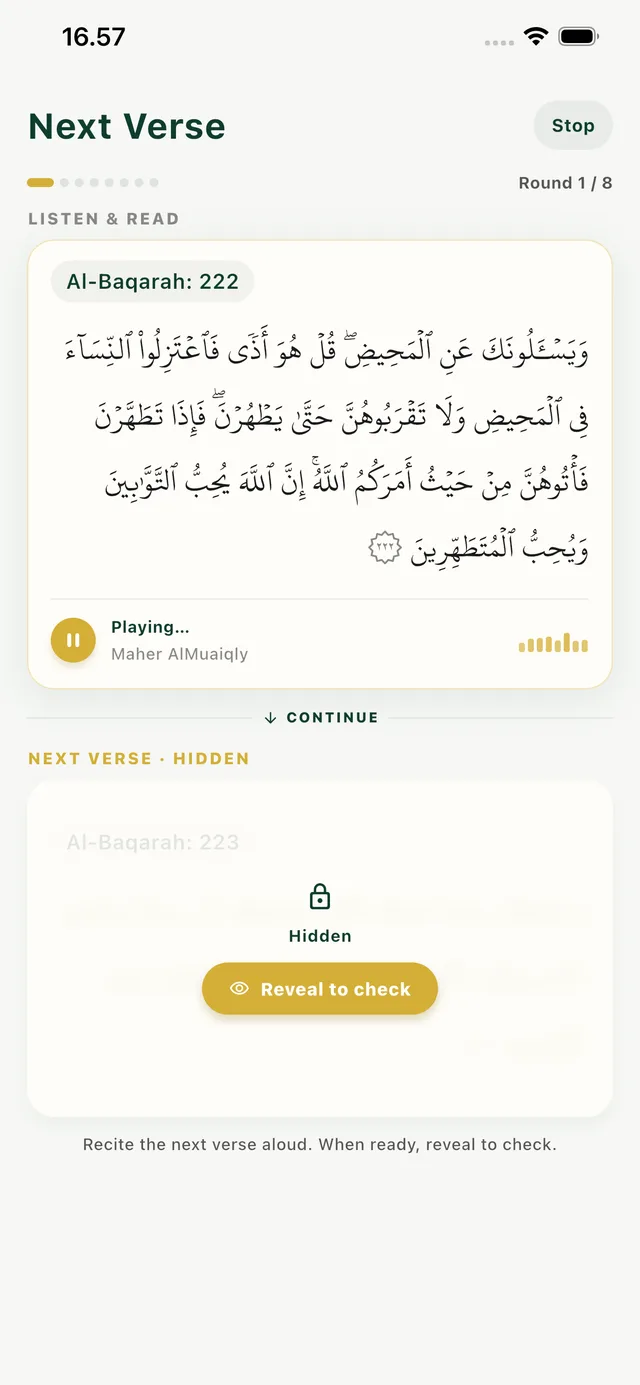
Recite and check
Listen or read the prompt, recite the continuation, then reveal and mark correct or incorrect. Track streaks and accuracy over time.
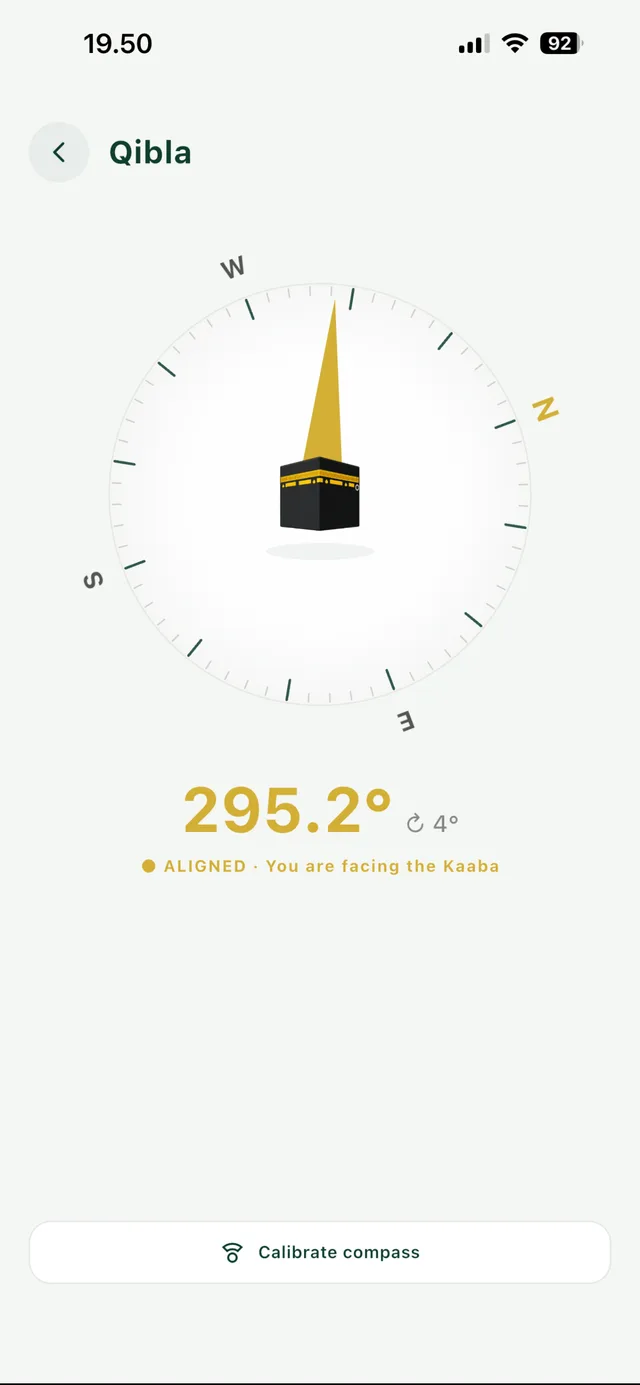
Find the direction of prayer.
A compass to help you find the Qibla direction anytime, anywhere.
Designed to stay simple.
Offline-first
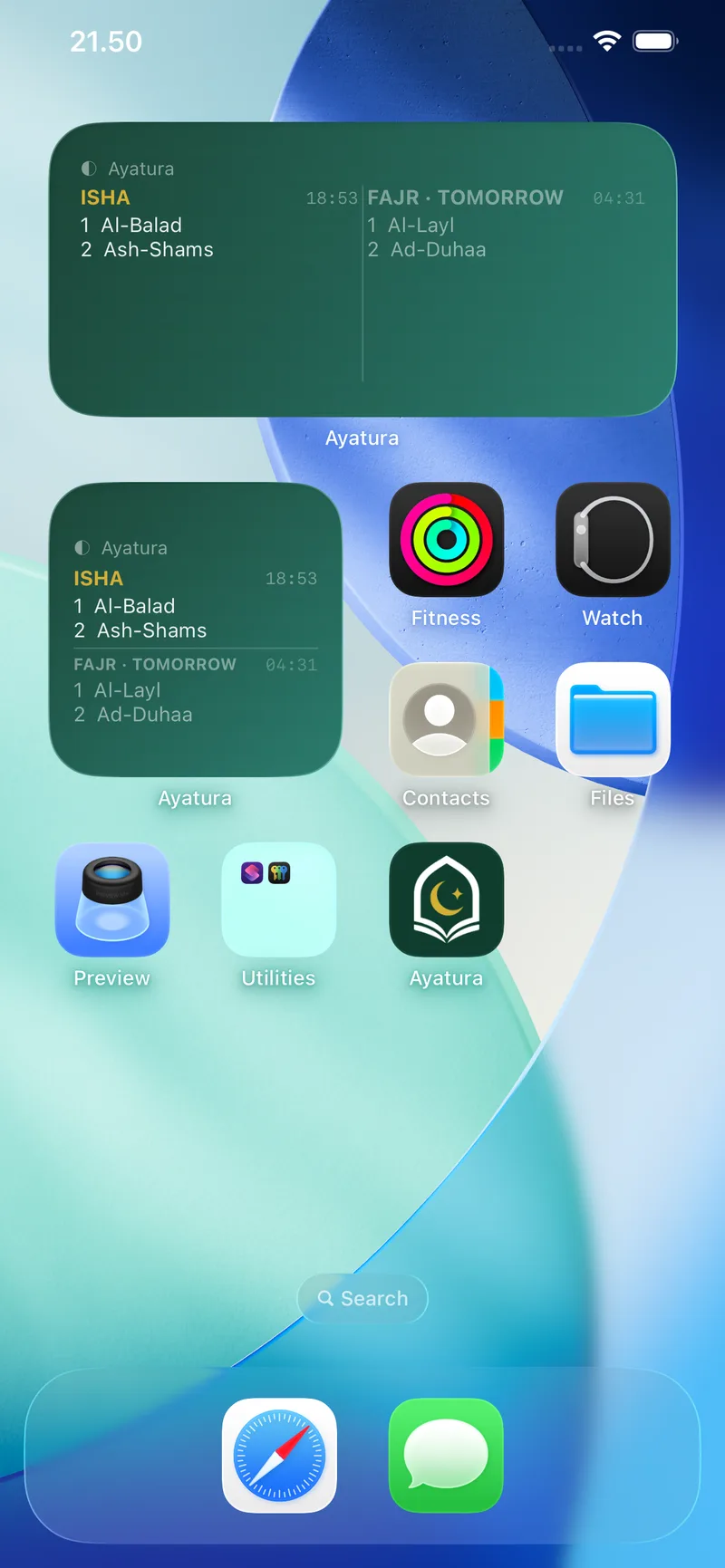
Planning, Hifdh list, reader cache, and widget work without a network connection.
No account
Everything stays on your device. No login, no cloud sync required.
Ad-free by design
A calm, ad-free experience for planning and maintaining your Hifdh.
Quietly answered.
Do I need to have memorized the whole Quran?+
Does the app work offline?+
What Quran sources are used?+
Can I lock or regenerate plans?+
How does Next Verse practice work?+
A calmer way to keep what you have memorized.
Free on iOS and Android. No account. No ads. Open it before your next prayer.